

There are a lot of reasons why organizations fail their FedRAMP audits and are denied the authorization they need to work on government contracts. We've even covered a lot of them here on the Ignyte blog in the past.
One area that we haven't covered, in detail at least, is mistakes with the FedRAMP boundary. Not just the boundary, either, but with the diagrams that track and prove it. There are a handful of common mistakes that often cost an authorization, so it's worth knowing what they are and how to avoid them ahead of time.
So, let's go through those mistakes and what you can do to avoid them.
 BLUF - Bottom Line Up Front
FedRAMP boundaries set what is in scope for federal security. Boundary diagrams must map systems, data flows, APIs, third-party services, and physical locations. Common faults: incomplete scope, vague boundary, missed interfaces, no third-party maps, extra development systems, out-of-date diagrams, overlooked metadata, and no test or check. Avoid failure: record every component and flow, follow risk, define early, keep diagrams current, and use automation plus manual checks.
What is a FedRAMP Boundary Diagram?
First of all, let's discuss what a boundary diagram even is.
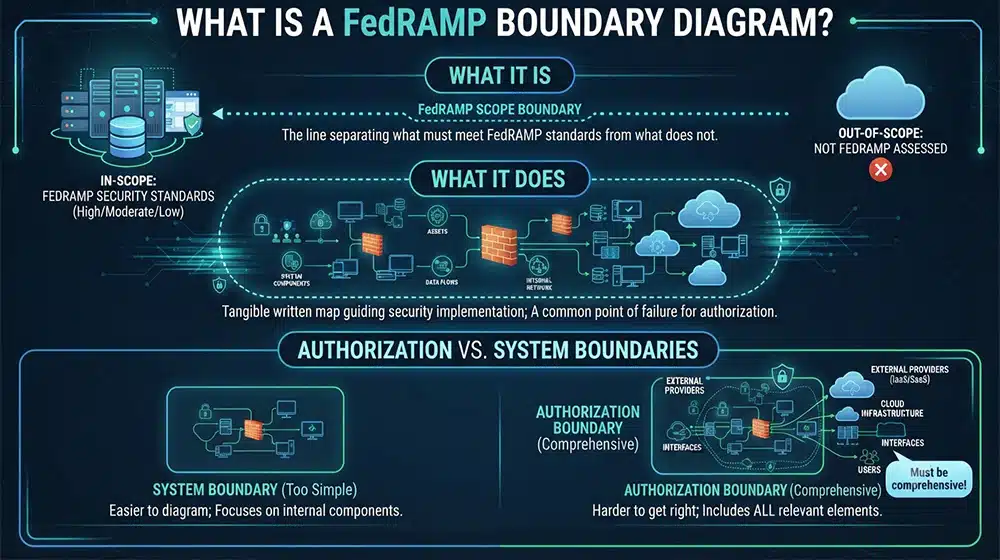
The FedRAMP boundary is part of your scoping. It's the line you draw that separates what is in scope for FedRAMP security and what is outside of scope and thus doesn't need to be secured to the same stringent standards.
FedRAMP boundary diagrams are the tangible written maps of all of your systems, assets, and connections that fall within a boundary. These are the "word of god" documents that guide your security implementation, and a common point of failure for FedRAMP authorization efforts.
It's also important to remember the difference between system boundaries and authorization boundaries. Authorization boundaries include not just system components, but external providers, cloud infrastructure, information boundaries, and more. It's easy to diagram system components, and a lot harder to be as comprehensive as necessary for an authorization boundary.
What Does a FedRAMP Boundary Diagram Include?
Everything within the boundary.
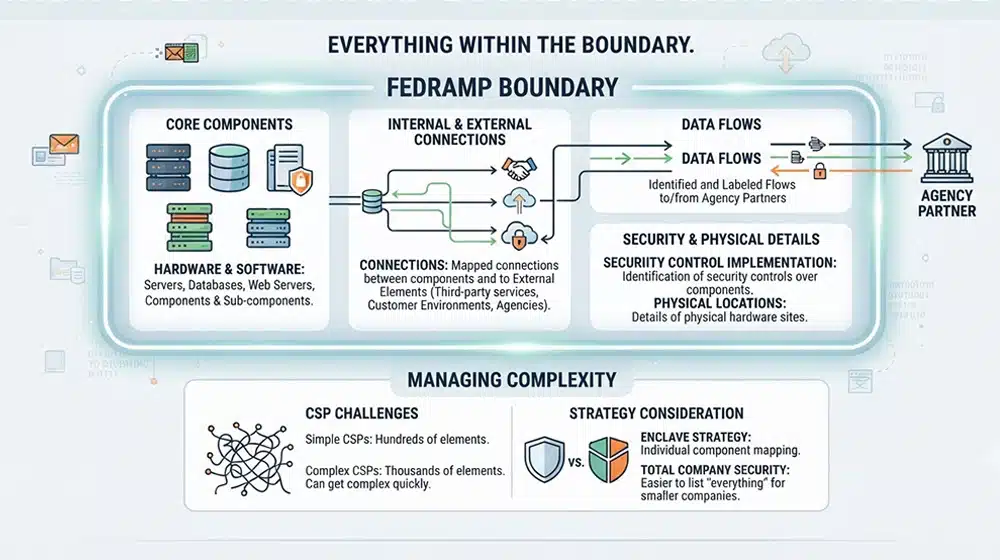
The first thing that comes to mind will be all of your core components. This includes both hardware and software; things like your system servers, your databases, your web servers, and any components or sub-components of the system.
Another key element is any connections between components, and more importantly, between components and external elements. Connections to third-party authentication or service providers, connections to customer environments, connections to other external components; these all need to be mapped appropriately.
Other elements of your systems need to be mapped as well. Data flows, particularly those to and from your agency partners, need to be identified and labeled. Security control implementation over these components must be identified. Even details of physical locations should be part of your boundary diagrams.
Once you start trying to put this all on paper, you quickly see how messy it can get. Even a relatively simple CSP can have hundreds of different elements within its boundary; larger and more complex CSPs can have thousands to keep track of.
It's no wonder that some (especially smaller) companies opt for total company security rather than an enclave strategy; it's at least easier to list "everything" than to make individual determinations about every component and its place in the system architecture.
What Happens if Your Boundary Isn't Properly Defined?
You fail to earn authorization. If you are applying for an ATO, and your boundary isn't properly defined, you won't pass your audit. If your security is appropriate but your documentation falls short, you may be able to use a POA&M to remedy it. If your security aligns with an inappropriate boundary, you will have a lot more work to do.
If you're already authorized, and your reassessment finds that you didn't keep up with your boundary diagrams properly, you may lose your ATO and your contracts. In egregious cases, you can even face penalties under the False Claims Act.
What Are the Mistakes Orgs Make with Boundary Diagrams?
With such a large, comprehensive, and important document, there are bound to be a lot of mistakes that can be made in putting it all together. Fortunately, with thousands of orgs making those mistakes, they can be identified and flagged to watch, so you can pay special attention to each aspect of the boundary document to make sure you avoid them.
Leaving the Scope Incomplete
Perhaps one of the most common problems is simply leaving the scope document incomplete.
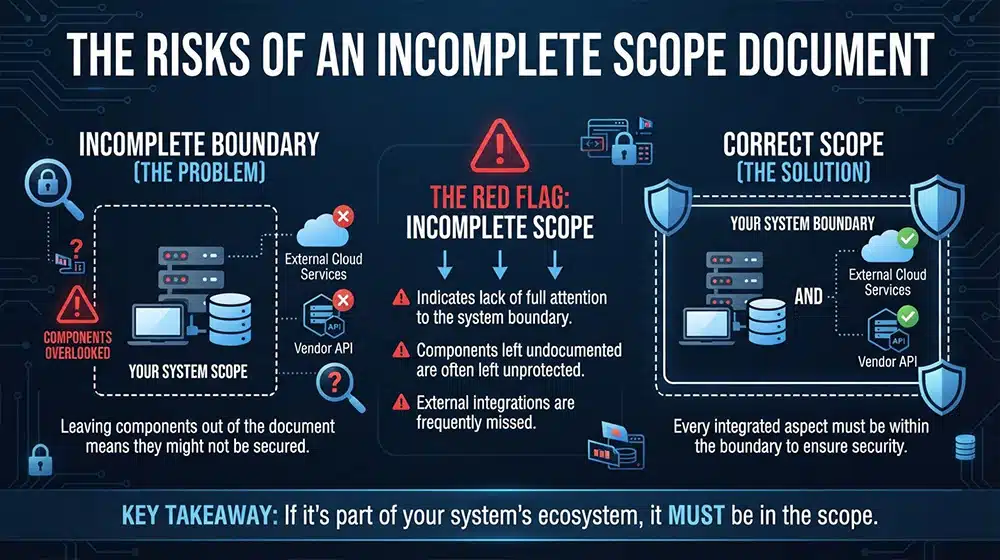
To be clear, this isn't done intentionally. It does, however, mean you haven't paid full and complete attention to every aspect of the boundary, which can be even more of a red flag than you might realize. It's not just that you leave components out of the document. Leaving them out of the document is a sign they might not be secured, and that's a more serious fault.
One of the biggest areas that is frequently overlooked with a boundary diagram is external integrations and dependencies that are meaningful to the system. Some organizations feel that, because those are part of external companies and not their own, they aren't within the boundary. In fact, as long as they are part of your systems, they have to be within the boundary.
Leaving the Boundary Ambiguous
Another common problem is lacking the detail necessary to properly describe (and reliably secure) components. Simply listing "company servers" is not enough; each server must be identified and its purpose described. Effective diagrams must be specific.
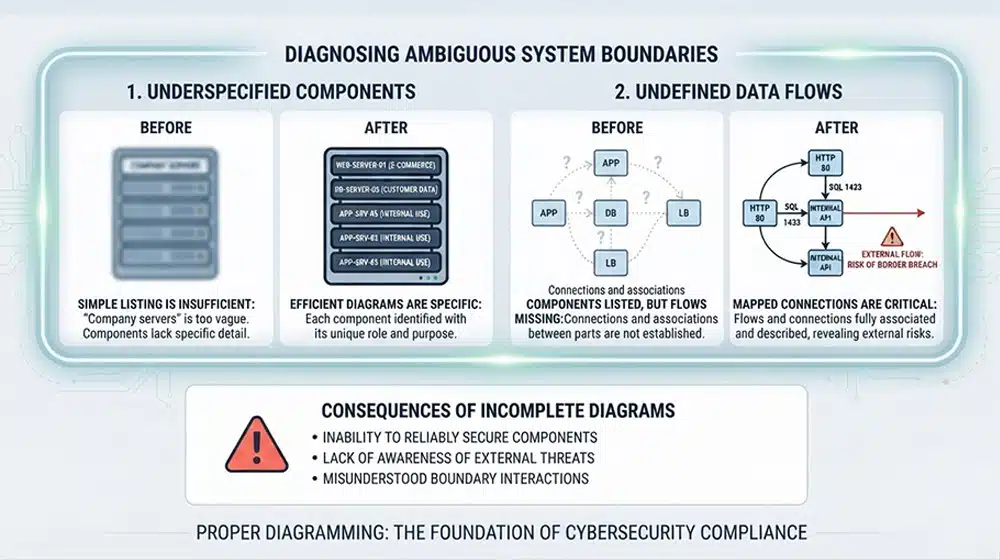
It's also common to see components listed, but not data flows that connect them. A system diagram needs to establish the flows and connections between components, so all of them are properly associated and described. When you lack the connections element of the diagrams, you don't have an awareness of when external connections could cause problems with the boundary.
Ignoring Interfaces
For many CSPs, endpoints and APIs are critical to operations. But these are a deeper level of technical implementation than many organizations tend to think about. It's entirely likely that your tech team has a full awareness of these interfaces, but your documentation team doesn't.
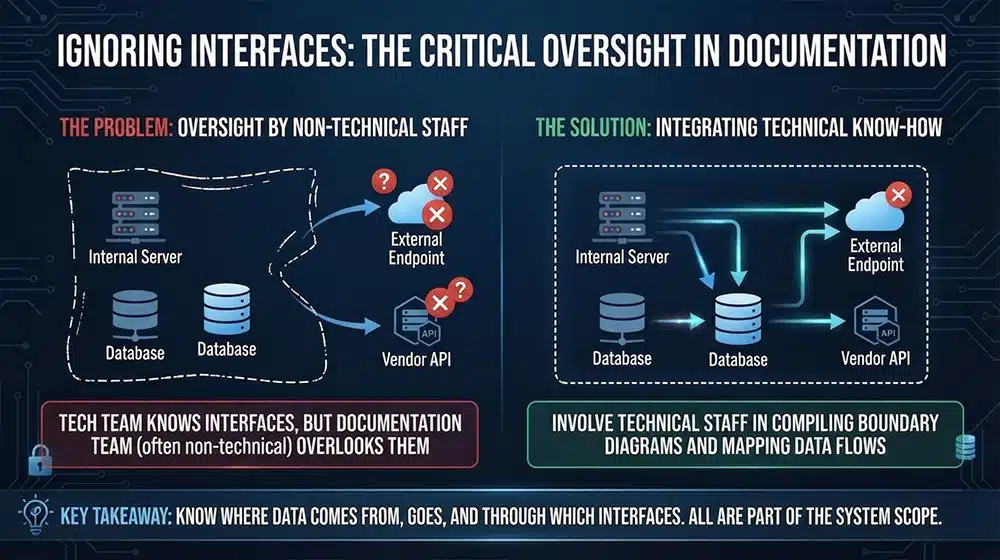
In fact, one of the more common faults with documentation is having non-technical staff members work on it. Your team compiling your documentation, including your boundary diagrams, should include people with enough technical know-how to be able to identify these levels of technology that might otherwise be overlooked.
This is also another reason why mapping data flows is important; part of knowing where the data comes from and where it goes is also knowing how it gets there and through what interface. All of that is part of the diagram.
Not Mapping Third-Party Services
Perhaps one of the most common points of failure is leaving out third-party components and services from the diagram. After all, if it's not your company, it's not your problem, right? Wrong.
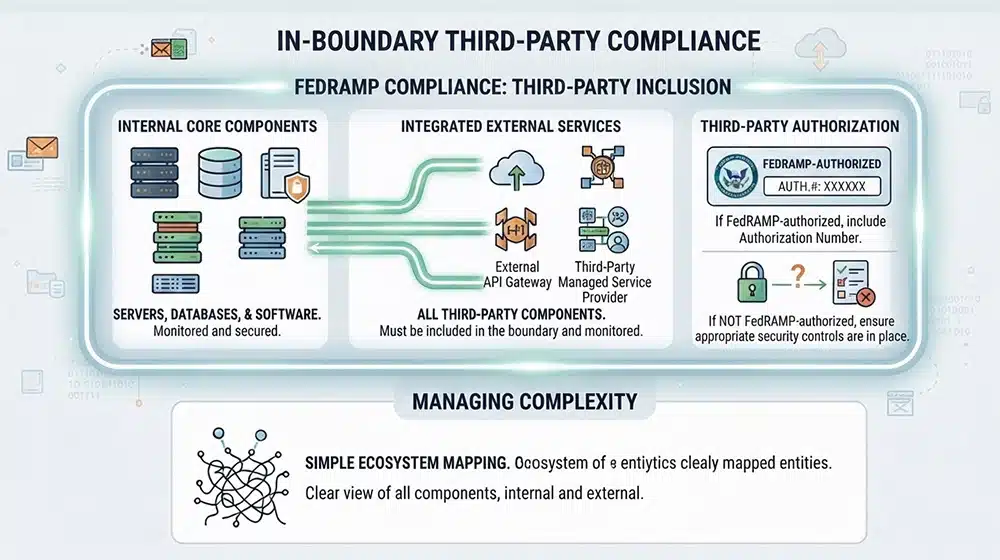
All third-party integrations, services, and components that play a part in your in-boundary operations need to be included as part of the boundary. They need to be monitored and secured just as if they were one of your components. If they are part of a third-party company that is itself FedRAMP-authorized, you can list that firm's authorization number as part of the diagram. If they are not FedRAMP-authorized, you need to be able to ensure appropriate security for those connections.
Including Irrelevant Systems
This one may or may not be of concern for your organization, depending on how you build your company.
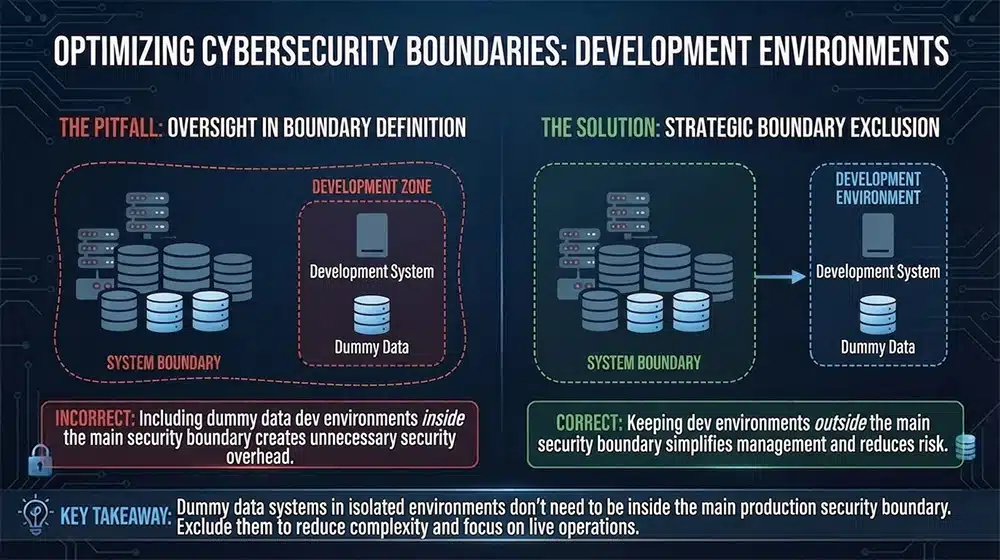
Often, when developing new components or systems for your organization, you utilize a development environment. This environment allows you to develop, test, and iterate on new components and features without affecting the live systems or operations.
Ideally, these environments don't touch or use real data. They use dummy data, which is identified and tracked such that it doesn't conflict with or muddy the waters surrounding real data.
Since the systems don't touch real data and aren't connected to live operations, they don't technically need to be within the boundary. Including them in the boundary can create an additional security burden for dev-ops that doesn't need to be there.
It can be tempting to adopt the "better too much than too little" attitude towards your boundary, but including too much unnecessary systems can leave you struggling to keep track of all of your components, and can leave attitudes lax towards systems that "don't need" the attention.
Failing to Keep the Boundary Up to Date
A pretty simple one: if you aren't keeping your boundary up to date, you aren't maintaining a boundary properly.
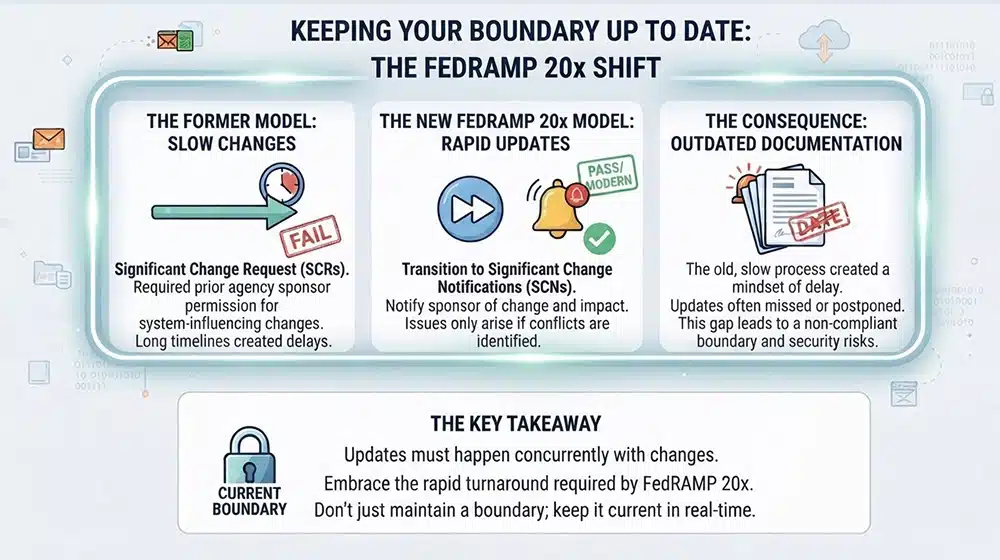
Formerly, keeping a system document up to date was a more intensive process, primarily due to the Significant Change Request system. SCRs are (were) the process where, whenever you wanted to make a system-influencing change to your operations, you needed to request permission to make that change from your agency sponsors.
With FedRAMP 20x finally being implemented, SCRs have changed to SCNs; significant change notifications. Now you can simply notify your sponsor of the change and how it impacts operations and security, and it only becomes an issue if there are conflicts or problems identified along the way.
Since SCRs had a longer timeline between wanting to make the change and the change actually happening, there was often a delay in updating documentation. That delay no longer needs to exist, so updates should be made when a change is made as well. It's more of a rapid turnaround than some orgs expect.
Forgetting About Metadata
Another element of the complex system boundaries you need to draw is the metadata associated with connections. Metadata is broadly divided into two buckets, as far as FedRAMP is concerned. One is data that affects CIA (Confidentiality, Integrity, Availability) of the data; the other is data about the information, such as tenant activity logs. Both need to be secured properly according to the risk they can present.
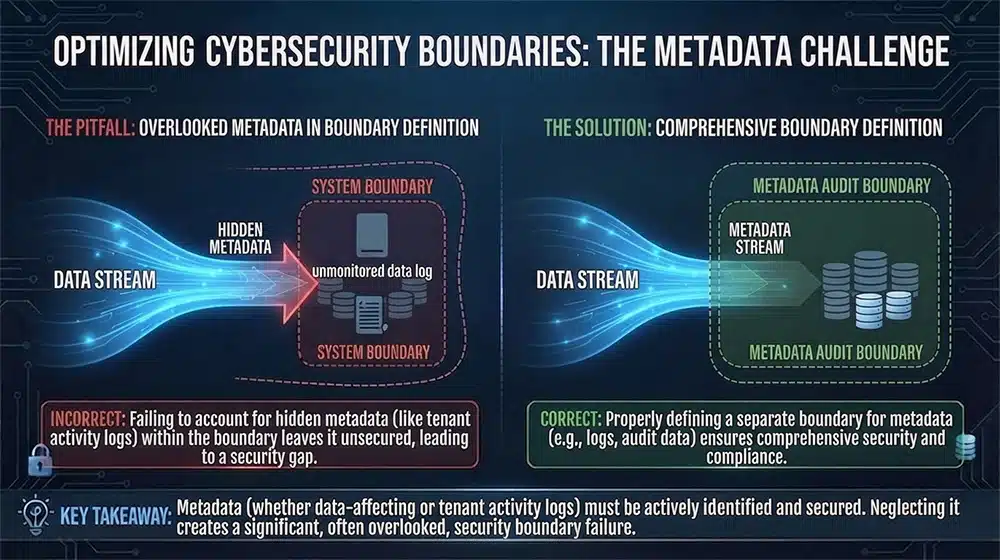
It's very easy to forget that metadata is carried along with data and connections, because metadata is by definition something you don't commonly see. This means it ends up often overlooked, and thus causes a failure in boundary definition.
Not Testing and Validating Boundaries
Two things need to be done for your boundaries all throughout this process. One is testing and validation, and the other is ongoing monitoring.
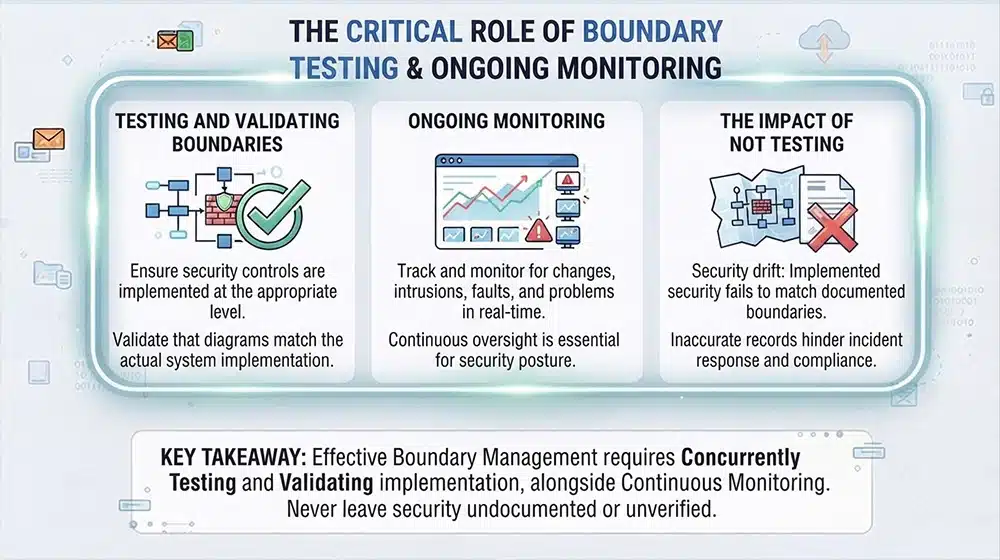
Testing and validating your boundaries means making sure that, when you implement your security and draw up a boundary, that you've actually implemented that security at the appropriate level. After all, your boundary diagrams are just records; they need to be backed by actual implementation.
Continuous monitoring is also critical, because it's how you track and monitor for changes, intrusions, faults, and other problems. As anything changes in your systems, those changes need to be reflected in your boundary diagrams as well.
Ensuring Proper FedRAMP Boundary Diagrams
How do you avoid all of these mistakes and guarantee that your boundary diagrams are as properly constructed as possible?
There are a lot of steps you can (and should) take.
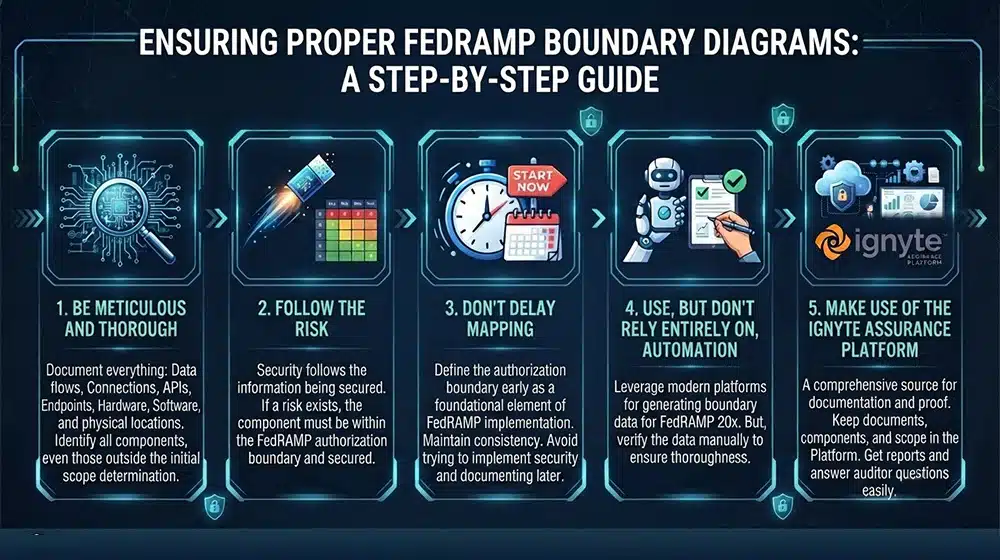
First, be meticulous and thorough. Document everything; every data flow, every connection, every API, every endpoint, every bit of hardware and software, even the physical locations of different components. You won't need all of those details for your boundary diagram, but you will need them to make the initial determination of whether those components are in scope or not.
Second, follow the risk. When we discuss CMMC, we often say security follows the information being secured. The same is true with FedRAMP, which manages risk. If a risk could exist, the component needs to be within the boundary and thus secured.
Third, don't delay or put off your mapping. The authorization boundary is one of the foundational elements of your FedRAMP implementation, so it needs to be defined early and maintained consistently. If you try to implement security first and come back to document later, things will slip through the cracks, and those can risk your authorization when it comes time to pass your audits.
Next, use, but don't rely entirely on, automation. A big part of the shift to FedRAMP 20x is the acceptance and use of greater levels of automation in documentation. Many of the more modern platforms offer built-in ways to document and generate boundary classification data, specifically designed to work with FedRAMP's requirements.
Use these, but don't trust them blindly. Double-check that they're thorough and effective, and that they catch everything that needs to be caught.
Finally, make use of the Ignyte Assurance Platform. Our platform is designed from the ground up to be a comprehensive source of documentation. As you draw up documents, as you add components, as you develop your scope, keep your proof in the Platform. Then, when you need your reports, when you need to reference anything, when you need to answer questions from your auditors, it's there for you.
To see what the Ignyte Assurance Platform can do for you, just reach out to book a customized demo and discussion today.

Dan Page is a seasoned Cybersecurity and Risk Management Executive known for advancing security programs aligned with complex regulatory frameworks and critical business objectives. With over 12 years in information security, his expertise began in the U.S. Army Signal Corps, where he led global communications and secured classified networks supporting Special Operations missions. Post-military, he specializes in security architecture for CUI, ITAR data, and federal cloud workloads. Currently, as Senior Cybersecurity Manager at Ignyte Assurance Platform, Dan guides organizations through compliance with CMMC, FedRAMP, ISO 27001, PCI, and NIST standards. A CISSP, CRISC, CISM, PMP, and ITIL-certified professional, he is also a cybersecurity lecturer and community volunteer advocating workforce development.